
Remove bystanders and tripods from your panoramas in one click. Built into the Koala 360 editor — included with the Unlimited plan.
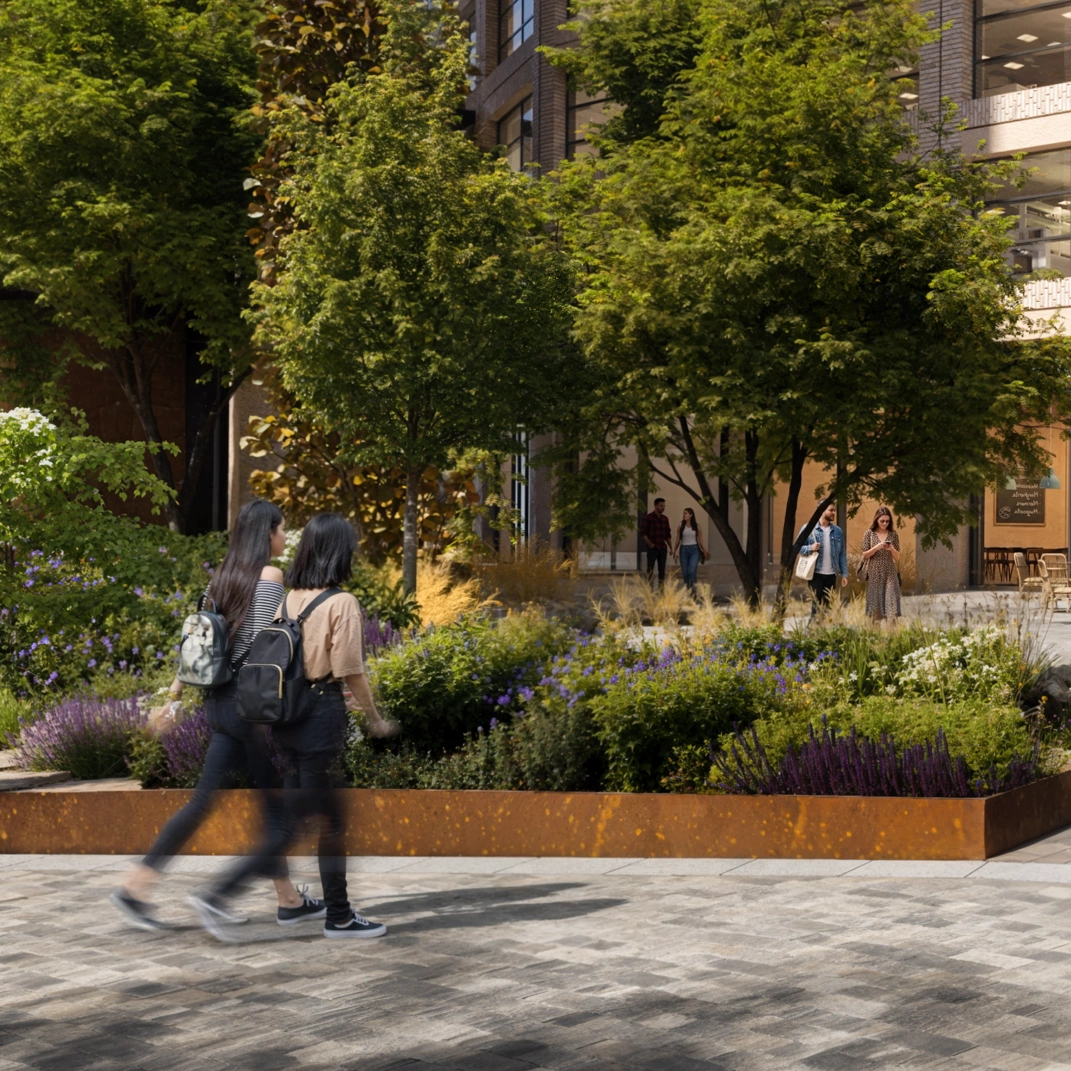 Before
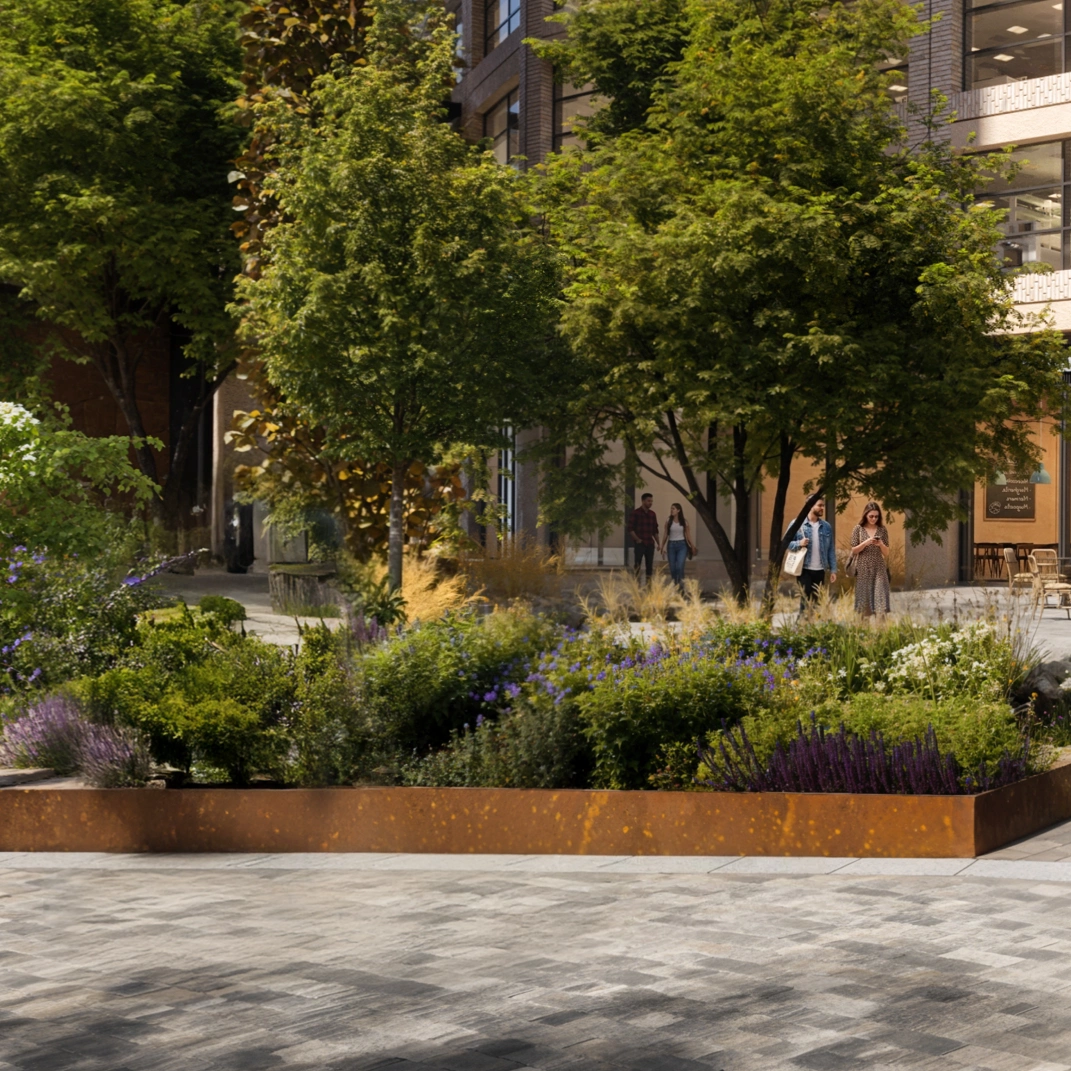 After
After
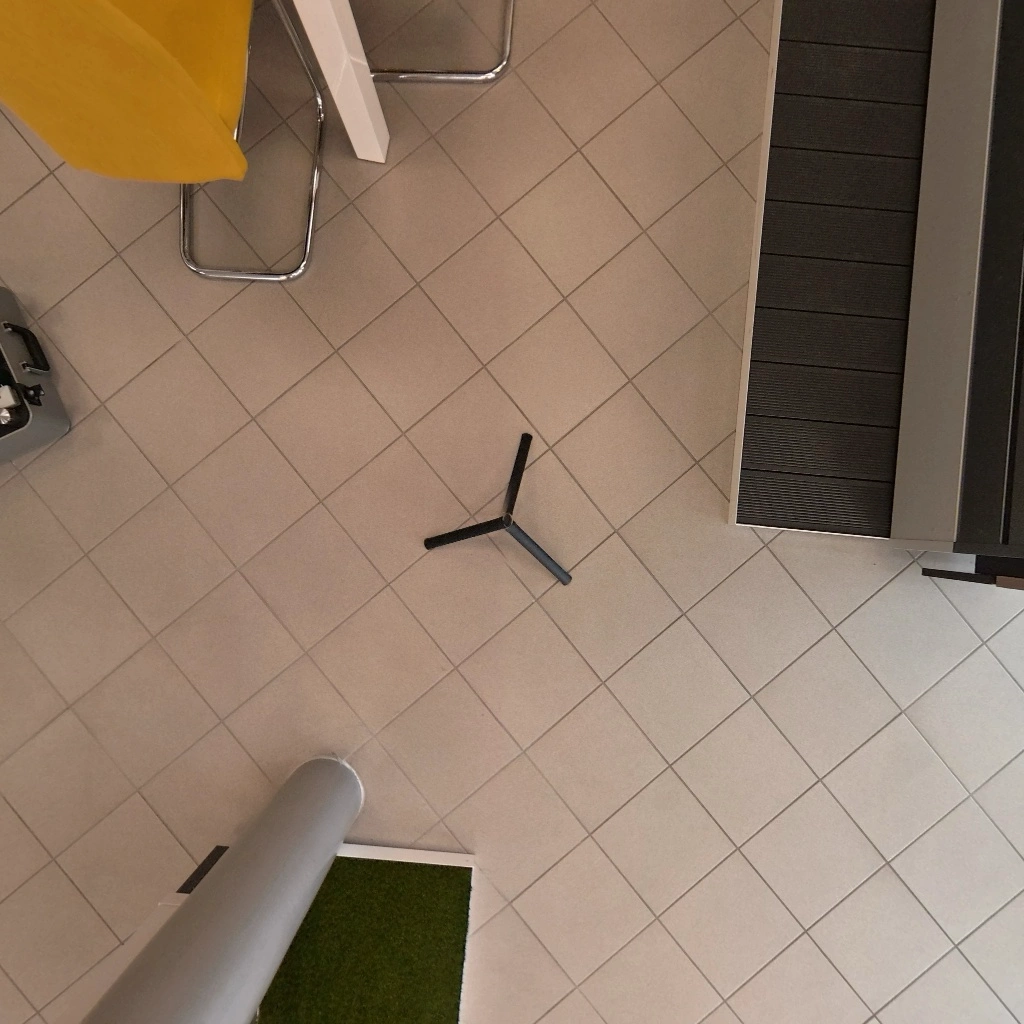 Before
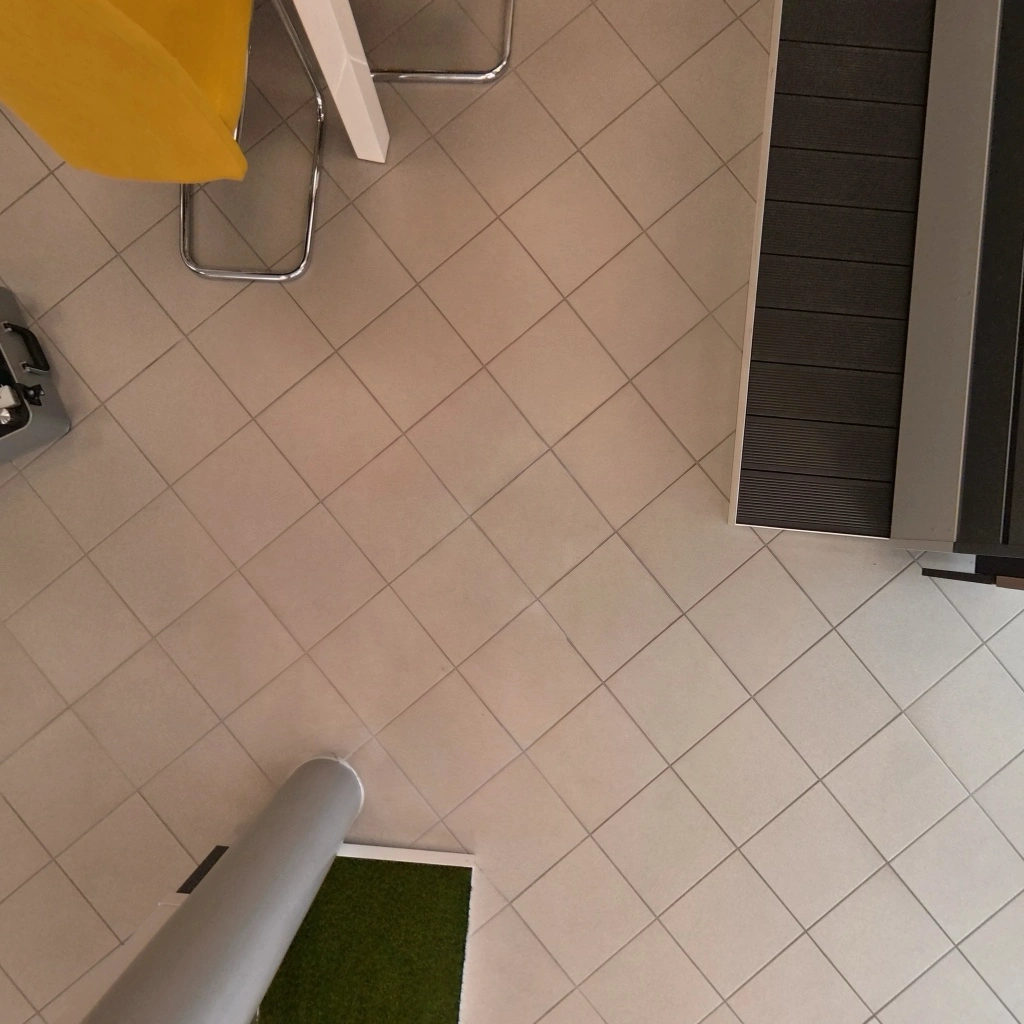 After
After
Bystanders, staff, kids, the dog. Anyone the lens picked up that you wish it hadn't. The AI auto-detects every person in your panorama, draws a box around each one, and lets you toggle who stays and who goes. Click Apply and they're gone — across both halves of the equirectangular seam.
Available on the Unlimited plan.
Every floor-down 360° has a tripod. Most apps give you a circular logo patch to cover it — we rebuild the floor underneath. The AI isolates the floor patch, paints out the tripod, and blends it back into the panorama with a feathered seam and a per-row pole-convergence pass that hides the stitching artefacts the tripod was masking.
Available on the Unlimited plan.
No Photoshop, no plugins, no extra software. The whole flow lives inside your Koala 360 editor.
Try it on your next tourPick any scene in your tour. Works with images from Theta, Insta360, GoPro MAX, Pilot Era, or any equirect render.
The AI detects what to remove and shows you a preview. Toggle individual people on or off, or accept the tripod mask as is.
The cleaned pano replaces the scene. Your tour is updated. Total time: usually under 30 seconds.
Every AI edit runs on a GPU. We use top-tier models (Grounding DINO for detection, Bria Eraser and Google Nano-Banana-Pro for inpainting) and we don't cut corners on resolution. That costs real money per edit.
Bundling AI with the Unlimited plan keeps things simple: agencies, photographers, and studios who shoot at volume get up to 500 cleanups a month for one flat price — no per-edit billing, no surprise invoices, no metered nags.
Everything you need to know about AI photo cleanup
AI photo cleanup is included with the Unlimited plan, with up to 500 edits per month. Free and Pro members can run AI detections to preview what would be removed but need to upgrade to Unlimited to apply the edit.
Up to 500 AI edits per month. Detection previews are separate (50 per day on Unlimited, 10 per day on Pro, 3 per day on Free).
Yes. Click Remove people and the AI draws boxes around every person it found. Toggle each one off if you want to keep them. The Remove tripod tool shows you the masked area before you commit.
Yes. Anything that produces an equirectangular 360° image works — Theta, Insta360, GoPro MAX, Pilot Era, Matterport equirects, and CGI renders from 3ds Max, Blender, Enscape, or Lumion.
The edited version replaces the panorama on the active scene. The original file you uploaded remains in your account history, so you can revert if needed.
No. Images are sent to the AI provider for the single edit, then discarded. They are not used to train models. See our privacy policy for the full data flow.
Có. Gói Miễn phí cho phép bạn truy cập mọi tính năng mà không cần thanh toán. Tạo tour không giới hạn, thêm hotspot, tùy chỉnh cài đặt và xuất bản. Tour miễn phí có logo Koala — nâng cấp lên Pro hoặc Unlimited khi bạn sẵn sàng gỡ bỏ.
Bất kỳ máy ảnh hoặc phần mềm nào tạo ra ảnh 360° equirectangular. Bao gồm Ricoh Theta, Insta360, GoPro MAX và render CGI từ các công cụ như 3ds Max, Blender hoặc Enscape.
Có. Tour hoàn toàn tương thích và hoạt động trên máy tính, máy tính bảng và trình duyệt di động. Người xem không cần cài đặt ứng dụng — chỉ cần mở liên kết.
Không. Mọi thứ được quản lý qua bảng điều khiển trực quan — tải ảnh lên, đặt hotspot, tùy chỉnh cài đặt và xuất bản. Không cần viết mã ở bất kỳ bước nào.
Tải lên ảnh 360°, thêm hotspot và chia sẻ.Tham gia cùng hàng ngàn môi giới, kiến trúc sư, nhiếp ảnh gia và studio đang sử dụng Koala.