
An orientation compass overlay that helps viewers stay oriented as they explore — essential for architecture, property, and site documentation.
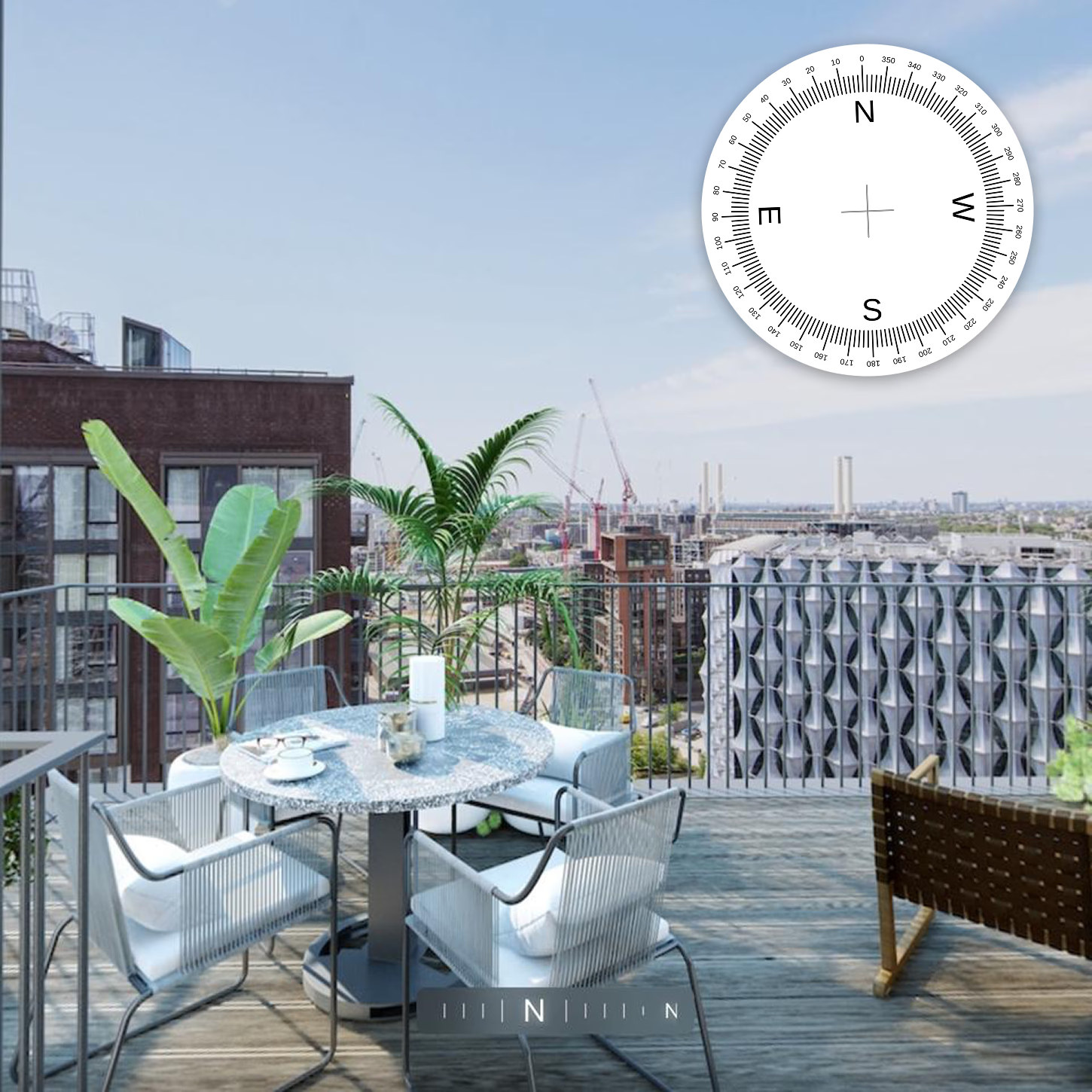
Viewers want to know which way they're facing. The compass overlay answers instantly — north, south, sunlight direction, and how the 360° view relates to real-world orientation. No guesswork, no cross-referencing.
Point north on each panorama in the editor — no surveying equipment, no manual labels.
Try it yourselfTurn on compass in your tour settings — one click and the overlay appears for viewers.
Set the north direction on each panorama in the editor. A quick drag per scene — takes seconds.
Viewers see a live compass that rotates as they pan. "The south-facing balcony" becomes instantly obvious.
Everything you need to know about the compass overlay
Set the north direction on each panorama in the editor by dragging to point north. It takes a few seconds per scene.
No. Set north visually in the editor using your knowledge of the space. No external tools required.
Yes. The compass overlay rotates in real-time as viewers pan, so they always know which direction they're facing.
Orientation tells buyers which rooms face south, where morning light falls, and the sunset aspect. Agents can reference "the south-facing balcony" and clients see it instantly. It's also essential for aligning 360° views with floor plans and site documentation.
Yes. The Free plan gives you access to every feature with no payment required. Create unlimited tours, add hotspots, customise settings, and publish. Free tours include Koala branding — upgrade to Pro or Unlimited when you're ready to remove it.
Any camera or software that produces equirectangular 360° images. That includes Ricoh Theta, Insta360, GoPro MAX, and CGI renders from tools like 3ds Max, Blender, or Enscape.
Yes. Tours are fully responsive and work on desktop, tablet, and mobile browsers. Viewers don't need to install an app — just open the link.
No. Everything is managed through a visual dashboard — upload images, place hotspots, customise settings, and publish. No code required at any step.
Upload your 360° images, add hotspots, and share.Join thousands of agents, architects, photographers, and studios already using Koala.