
Link scenes together with navigation hotspots so viewers can move room-to-room, floor-to-floor — just like being there.
Navigation hotspots aren't limited to adjacent rooms. Design the flow that tells your story best.

The data is clear. Research from Redfin, Matterport, and Zillow consistently shows interactive tours drive more engagement, faster sales, and stronger buyer intent.
Sources: Redfin; Matterport (143,575 listings); Zillow 2024; FlyLens 360; HBS (75,000 sales); NAR 2025.
Turn a folder of 360° photos into a self-guided tour. No coding, no floor plans, no fuss.
Try it yourselfClick the doorway, staircase, or transition point. Pick the destination scene from a visual list.
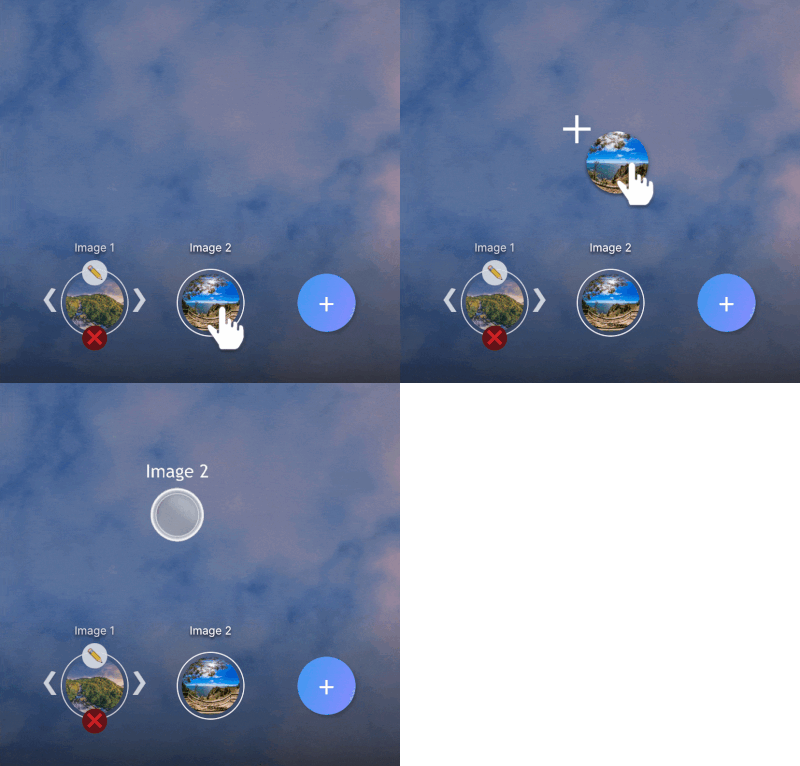
Drag to reposition, set the landing angle, add thumbnails for quick scene access. The editor shows a live preview.
Viewers click through rooms on any device — desktop, tablet, phone, or VR headset. It just works.
Everything you need to know about hotspot navigation
There's no limit. Link as many rooms or spaces as you need within a single tour — whether that's a three-bedroom flat or a multi-building campus.
Yes. Navigation hotspots create a non-linear experience. Viewers click to move between scenes in whatever order they like, so the tour feels like a real visit rather than a slideshow.
No. Place a hotspot on any doorway, staircase, or transition point, then pick the destination scene from a visual list. No floor plans, no coding.
Yes. Viewers tap hotspots to navigate on any device — desktop, tablet, phone, or VR headset. No app required.
Yes. The Free plan gives you access to every feature with no payment required. Create unlimited tours, add hotspots, customise settings, and publish. Free tours include Koala branding — upgrade to Pro or Unlimited when you're ready to remove it.
Any camera or software that produces equirectangular 360° images. That includes Ricoh Theta, Insta360, GoPro MAX, and CGI renders from tools like 3ds Max, Blender, or Enscape.
Yes. Tours are fully responsive and work on desktop, tablet, and mobile browsers. Viewers don't need to install an app — just open the link.
No. Everything is managed through a visual dashboard — upload images, place hotspots, customise settings, and publish. No code required at any step.
Upload your 360° images, add hotspots, and share.Join thousands of agents, architects, photographers, and studios already using Koala.